Choosing a bulb for reading or computer work is not a minor decorating decision. It affects visual comfort, concentration, energy use, and the way a room feels after sunset. A desk lamp with harsh glare can make small print shimmer. A weak bulb can force your eyes closer to the page. No bulb fixes poor positioning.
The U.S. Department of Energy reports that qualified LED bulbs use at least 75% less energy and last up to 25 times longer than incandescent bulbs. That makes LEDs a practical starting point, but efficiency alone is not enough. Color temperature, brightness, beam angle, flicker, and color rendering also matter. ENERGY STAR guidance recommends checking lumens rather than watts, because lumens measure visible light more directly. For reading, many professionals commonly suggest approximately 450–800 lumens at the task, adjusted for distance, shade, and personal vision. This is a guideline, not a universal rule.
So, How to choose bulbs for reading and working? Look for high color rendering, preferably a CRI of 80 or above, and select a neutral-to-warm color around 3000–4000K. Cooler light may feel alert and clean, while warmer light can feel calmer at night. Research from the International Commission on Illumination also shows that light affects more than visibility, including non-visual responses. Still, color temperature is often overpromoted. It cannot compensate for glare, screen reflections, or an awkward lamp angle. Test the bulb beside your actual book or monitor. Your eyes provide useful evidence.
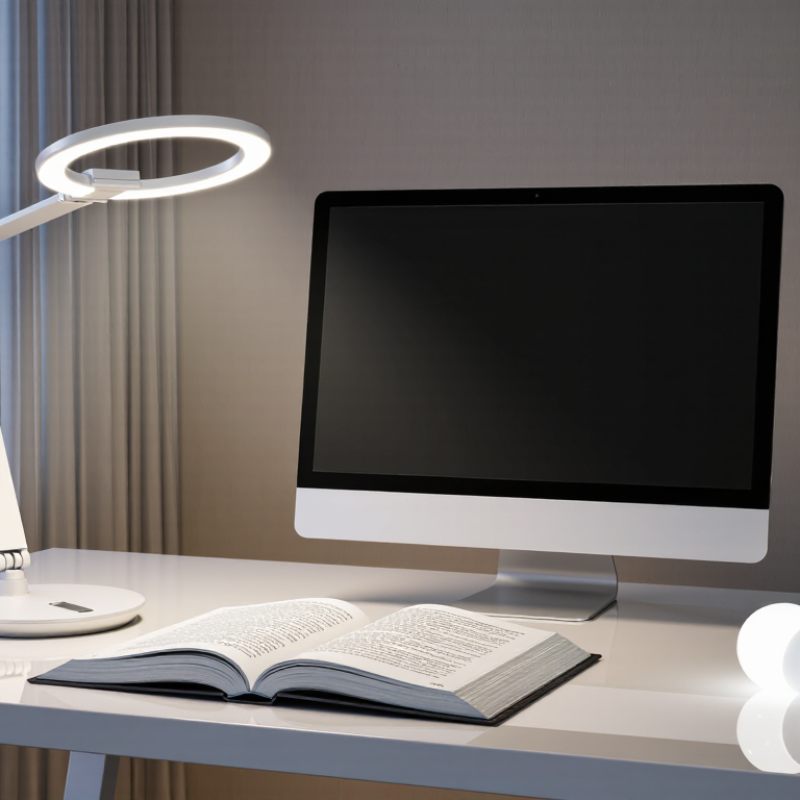
What Makes a Bulb Suitable for Reading and Working
Why Choose the Right Bulbs for Reading and Working?
A suitable bulb must make small details clear without creating eye strain. In practice, I have found that brightness alone is not enough. A 500-lumen bulb can feel harsh beside a glossy page, while a softer lamp may leave shadows across handwritten notes. EN 12464-1:2021 commonly recommends 500 lux for reading, writing, and data-processing areas. The Illuminating Engineering Society places many office tasks within roughly 300–500 lux.
Color quality matters, too. Choose a bulb with a color rendering index of at least 80, as recommended in widely used energy-efficiency specifications. A CRI above 90 can reveal ink colors and material textures more naturally. Neutral white light, around 3500–4000K, often supports focused work without feeling overly blue. However, the “perfect” color temperature does not exist. Personal comfort, room finishes, and screen use can change the result.
Glare deserves careful attention. A bare bulb above a desk may reflect directly from a screen or polished paper. The CIE’s lighting guidance treats glare control as essential for visual comfort. Look for a shaded fixture and place it beside your writing hand. Check flicker information from credible test reports, not vague packaging claims. I still question my own choices here. A bulb that feels comfortable for ten minutes may become tiring after two hours. Small adjustments matter.
Why Choose the Right Bulbs for Reading and Working?
What makes a bulb suitable for reading and working is its ability to provide sufficient, even illumination without excessive glare or visual strain.
The chart shows typical maintained illuminance targets used in workplace lighting guidance. Reading, writing, and computer tasks commonly require about 500 lux at the work surface, while circulation areas require less. For comfortable bulb selection, also consider a CRI of 80 or higher, low flicker, controlled glare, and a suitable color temperature.
Reference: Typical maintained illuminance levels based on EN 12464-1 workplace lighting guidance; requirements may vary by application and local regulations.
How Light Color Affects Focus, Comfort, and Visual Clarity
Choosing the right bulb for reading and working involves more than brightness. Light color also shapes focus, comfort, and visual clarity.
Warm light, usually below 3,000 Kelvin, creates a relaxed atmosphere. It suits evening reading, but it may feel too soft for detailed paperwork. Neutral white light, around 3,000 to 4,000 Kelvin, often supports comfortable reading and computer tasks. Cooler light can feel more alerting, yet excessive blue-white light may cause glare or eye discomfort for some people. Personal sensitivity matters.
Small changes help.
I have found that a neutral bulb makes printed text look cleaner on a white page. A high color-rendering rating can also reveal ink colors more accurately, which helps when reviewing charts or marked documents. Still, light color cannot fix poor positioning. A bright bulb shining directly into the eyes creates reflections on screens and tiring shadows. Place the light beside or slightly behind your work area.
My own setup is not perfect. I sometimes choose a cooler bulb for concentration, then notice tension after a long session. That experience reminds me to adjust the lamp instead of blaming the bulb alone. Dimming capability can improve comfort, especially when daylight changes. Test the light with a real book, a screen, and a handwritten page. The best choice should keep letters sharp without making the room feel harsh.
How Brightness and Beam Direction Influence Task Performance
Choosing the right bulb is less about maximum brightness and more about controlled visibility. EN 12464-1:2021 recommends 500 lux for many reading and writing tasks. The IES Lighting Handbook places common office tasks around 300–500 lux, depending on detail and user needs. Too little light makes letters blur. Too much light can create reflections on glossy pages or screens.
Beam direction matters just as much. A narrow beam can brighten one notebook area but leave strong shadows beside it. A wider, softer beam distributes light across the desk and reduces constant eye adjustment. The U.S. Department of Energy’s solid-state lighting research identifies glare and uneven luminance as important visual-comfort concerns. In practice, I still catch myself choosing a brighter bulb when repositioning the lamp would work better. The compromise is imperfect.
Tips: Aim the beam slightly from the side, not directly into your eyes. Keep the brightest area near the task, while maintaining softer background light. For detailed reading, test roughly 500 lux at the page with a light meter. Choose a lower setting for relaxed reading. Check the page again at night. Your eyes may need less brightness than expected.
Which Bulb Types Best Match Different Reading and Work Environments
Choosing the right bulb depends on what your eyes and workspace require. A bedroom reading corner usually feels comfortable with a warm LED bulb around 2700K to 3000K. Its soft amber tone supports a relaxed atmosphere and reduces the harsh feeling of bright white light.
For detailed reading, neutral white light between 3500K and 4000K often provides better contrast. A bulb with a high color rendering index can make printed text and colored diagrams appear more natural. Place the lamp beside or slightly behind your shoulder. This reduces shadows across the page. Avoid aiming light directly at glossy paper.
A home office may benefit from a 4000K to 5000K bulb, especially during long daytime tasks. Choose steady, flicker-free lighting with enough brightness for the desk, but avoid excessive glare on the monitor. In a workshop, a cooler daylight bulb can reveal small marks and material differences more clearly.
I once used a very bright bulb for evening reading, assuming brighter meant better. My eyes felt tired within minutes. That choice was not completely wrong, but the color and angle were unsuitable. Dimming controls can help, although some bulbs perform poorly at low settings. Test the bulb at your actual desk, with your usual book or screen.
How to Choose Energy-Efficient Bulbs for Regular Use
Choosing an energy-efficient bulb starts with light output, not wattage. Watts measure electricity use, while lumens show brightness. For reading, I usually look for 800 to 1,100 lumens. A desk lamp may need less in a small room. Check the package carefully. An LED bulb generally uses less electricity and lasts longer than older bulb types. I learned this after replacing a bright hallway bulb with a dim one. The lower wattage looked efficient, but the room felt uncomfortable. Efficiency without useful light is a poor bargain.
Color temperature also affects regular use. Warm white light feels gentle in bedrooms, while neutral white suits desks and kitchens. For detailed reading, choose a high color rendering index when possible. It helps printed pages look more natural. Check compatibility with dimmers and enclosed fixtures before buying. A bulb may flicker, overheat, or fail early when used incorrectly. I once ignored this detail, and the bulb became unreliable within months. That mistake changed my shopping routine. I now compare lumens, estimated annual energy use, lifespan, and warranty information. Labels are helpful, but real rooms differ. A bulb that saves energy on paper may still disappoint if its light feels harsh. Good choices require observation, not just arithmetic.
Why Choose the Right Bulbs for Reading and Working? - How to Choose Energy-Efficient Bulbs for Regular Use
| Bulb Type |
Typical Output |
Power for About 800 Lumens |
Typical Efficacy |
Rated Life |
Best Color Temperature |
Suitability for Reading and Work |
| LED |
450–1,600 lm |
8–12 W |
80–140 lm/W |
15,000–25,000 hours |
3,000–5,000 K |
Excellent; efficient, long-lasting, and available in high-CRI options |
| Compact Fluorescent (CFL) |
450–1,500 lm |
13–18 W |
50–70 lm/W |
6,000–15,000 hours |
3,000–4,100 K |
Good; verify startup speed, dimming compatibility, and disposal guidance |
| Halogen |
450–1,600 lm |
43–53 W |
15–25 lm/W |
1,000–2,000 hours |
2,700–3,000 K |
Acceptable light quality, but high energy use and heat output |
| Incandescent |
450–1,600 lm |
60–75 W |
10–17 lm/W |
750–1,000 hours |
2,700 K |
Warm light, but generally the least energy-efficient option |
Selection Guide for Regular Use
| Use Case |
Recommended Brightness |
Recommended Color Temperature |
Suggested CRI |
Practical Choice |
| Bedside reading |
450–800 lm |
2,700–3,000 K |
80+ |
Dimmable LED with a warm-white appearance |
| Desk work |
800–1,100 lm |
3,000–4,000 K |
80+, preferably 90+ |
LED with low glare and accurate color rendering |
| Detailed craft or study tasks |
1,000–1,500 lm |
4,000–5,000 K |
90+ |
High-CRI LED task lighting with adjustable direction |
| General room lighting |
800–1,600 lm per bulb |
2,700–3,500 K |
80+ |
LED selected by lumens, beam angle, and fixture compatibility |
Energy-cost example: Based on 3 hours of use per day, 365 days per year, and an electricity rate of $0.16 per kWh, an LED bulb using 10 W costs about $1.75 per year to operate. A 60 W incandescent bulb used under the same conditions costs about $10.51 per year. Actual costs vary by electricity rate and usage.
Values are typical ranges and may vary by bulb design. Lumens measure brightness, watts measure energy use, color temperature describes the appearance of white light, and CRI indicates how naturally colors appear.
Conclusion
Choosing the right bulb for reading and working can make a noticeable difference in concentration, comfort, and visual performance. A suitable bulb should provide steady, sufficient illumination without harsh glare or distracting flicker. Light color also matters: cooler white light may support alertness and focus, while warmer tones can create a more relaxed atmosphere for casual reading. Brightness should match the task and room size, and a well-directed beam can reduce shadows and eye strain by placing light where it is needed.
How to choose bulbs for reading and working depends on your environment, schedule, and personal comfort. Desk work may benefit from an adjustable, focused light, while general office or study areas often need broader, evenly distributed illumination. Efficient bulbs with long lifespans and appropriate brightness can help reduce energy use during regular operation. By considering color temperature, beam direction, brightness, comfort, and efficiency together, you can create a practical lighting setup for both focused tasks and extended reading sessions.
 Sass Lighting
