Sass Lighting
Smart light bulbs have revolutionized home lighting. With the rise of IoT (Internet of Things), understanding "How do smart light bulbs connect to a phone" has become essential. According to a report by Technavio, the global smart lighting market is expected to reach $22 billion by 2024. This rapid growth highlights the importance of connectivity and ease of use for consumers.
Experts emphasize efficient connectivity methods. Jacob Morgan, a leading voice in smart home technology, stated, "The ease of connecting smart devices to smartphones is crucial for user adoption." Many users want a seamless experience. This includes utilizing Wi-Fi, Bluetooth, or proprietary apps for pairing, making it essential for manufacturers to prioritize these features.
However, challenges remain. Users often report connectivity issues with certain brands. Device compatibility can sometimes complicate the process. Acknowledging these hurdles is vital for manufacturers. By addressing connectivity concerns, the industry can ensure a smoother user experience. The quest for easier connections continues, shaping the future of smart lighting.
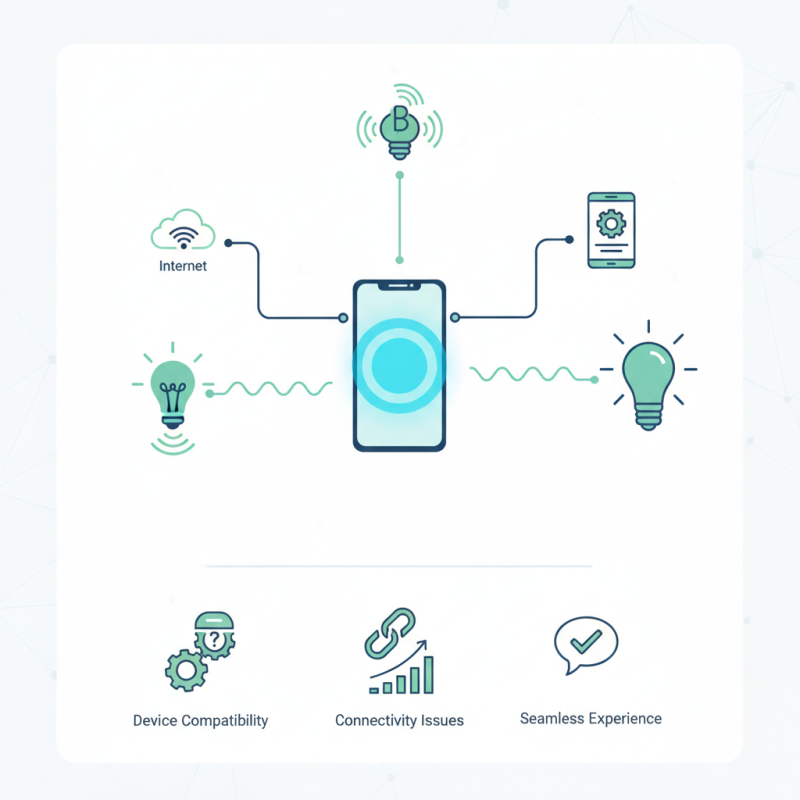
Smart light bulbs have become popular in homes. Their connectivity options allow users to control them easily from smartphones. Most smart light bulbs connect via Wi-Fi or Bluetooth. This feature offers convenience and accessibility, enabling users to adjust lighting from anywhere within the range.
To connect smart light bulbs to your phone, download the app recommended by the manufacturer. The app usually provides a step-by-step guide. Ensure your phone and the bulb are both on the same Wi-Fi network. Sometimes, users struggle due to outdated apps or firmware. Regularly check for updates to maintain smooth connectivity.
Tips: Always read the user manual for specific instructions. Different brands may have unique steps. If your bulb fails to connect, try resetting it. Hold the switch for a specific duration as mentioned in the manual. Remember, the location of your bulb matters. Walls or appliances may interfere with the signal. A little patience goes a long way in troubleshooting issues.
This chart illustrates the distribution of different connectivity technologies used by smart light bulbs. Wi-Fi is the most popular method, followed by Bluetooth, with Zigbee, Z-Wave, and Thread making up a smaller percentage of the market.
Connecting smart light bulbs to your phone can be straightforward, but it requires certain conditions. Most smart bulbs operate on Wi-Fi or Bluetooth. Ensure your phone is compatible with the connection type. Check if it supports the latest Bluetooth version or the required Wi-Fi frequency.
Before starting the connection process, install the corresponding app on your phone. Many bulbs need specific apps for setup. This app often guides you through the pairing process. Make sure your phone's location services are enabled. It helps with discovering nearby devices efficiently.
Placement of the light bulbs matters too. They should be within a reasonable range of your Wi-Fi router or Bluetooth device for optimal performance. Some might struggle if they're too far away. Finally, check for firmware updates for both the bulb and the app. Sometimes, outdated software can cause connection issues. Testing different setups may reveal the best solutions for consistent performance.
| Requirement | Description |
|---|---|
| Wi-Fi Network | A stable and strong Wi-Fi connection is required for the smart bulb to connect to the phone. |
| Smartphone App | The user must download the specific app compatible with the smart bulb for setup and control. |
| Bluetooth (optional) | Some smart bulbs may use Bluetooth for initial setup, allowing proximity pairing with the phone. |
| Account Creation | Users may need to create an account within the app to manage devices and access cloud features. |
| Firmware Updates | Ensure the smart bulb's firmware is up-to-date to guarantee compatibility and functionality with the app. |
| Power Source | The smart bulb must be correctly installed in a light fixture and powered on to connect successfully. |
Connecting smart light bulbs to your phone is simpler than it seems. Start by downloading the manufacturer's app. Most apps are available on both Android and iOS platforms. Make sure your phone’s Bluetooth is enabled. This step is crucial for ensuring a successful pairing process.
Once the app is open, follow the on-screen instructions. It usually involves creating an account and logging in. You may need to grant permission for the app to locate devices. Some users encounter issues during this step. If the bulb doesn’t show up, double-check your Wi-Fi connection. Ensure that the bulb is powered on and within range of your phone.
After the app locates the bulb, select it to pair. You might see a blinking light on the bulb as confirmation. If it doesn’t pair right away, try resetting the bulb. This often requires switching it off and on several times. Patience is key here. Small details matter. Each step builds towards that seamless connection you desire. Don't rush; take your time to get it right.
Connectivity issues with smart light bulbs can be frustrating. One common problem is Wi-Fi interference. According to a study by the Consumer Technology Association, about 70% of households face connectivity issues due to overlapping networks. This can cause disconnections and limit the performance of smart devices. Make sure your router is not too far from the bulbs. Physical barriers like walls can also play a role.
Another frequent issue is software compatibility. Many smart bulbs require specific apps for setup and control. Some users report difficulties when their smartphone operating systems are not updated. According to a survey from Statista, 65% of users found troubleshooting apps challenging. Checking for app updates regularly can simplify the connection process. Problems can often arise when the app version does not match the bulb's firmware.
Lastly, resetting the bulb can resolve persistent connection issues. A common recommendation is to turn the bulb on and off five times, which often triggers a reset mode. This simple step can be overlooked but is essential. A report from Smart Home Research suggests that 40% of users do not know how to effectively reset their devices. Taking time to understand the manual can save a lot of frustration. While smart technology is meant to be convenient, connectivity remains a hurdle for many users.
Smart light bulbs have transformed our spaces into interactive environments. They connect seamlessly to phone apps, enabling us to control them with just a tap. This integration enhances our daily life, offering convenience at our fingertips. Imagine dimming the lights while you settle in for a movie or setting them to fade gently as bedtime approaches. Such customization is a game-changer.
One of the key benefits is automation. You can schedule your lights to turn on or off based on your routine. This functionality not only helps save energy, but also provides safety, making it look like you’re home even when you’re not. The integration also allows for voice controls, adding another layer of convenience. Just a simple command can adjust your lighting ambiance.
Tips for optimal use: set specific moods with color options. Experiment with different settings to see what feels best in your space. When installing, ensure a stable Wi-Fi connection to avoid disruption. Also, be mindful of compatibility; not all bulbs work with every app. Test out features gradually to find what improves your experience the most. Embracing these smart options can genuinely elevate your living environment.
: Ensure your phone supports Wi-Fi or Bluetooth. Check compatibility with the smart bulb.
Install the specific app needed for your smart bulb. This app will guide you through pairing.
Enabling location services helps discover nearby smart devices efficiently and enhances connection success.
Keep the bulb within a reasonable range. Being too far can cause performance issues.
Verify firmware updates for both the bulb and app. Outdated software often leads to problems.
Yes, you can schedule lights to turn on or off based on your routine for energy savings.
Use color options and settings to set specific moods in your space. Experiment to find what suits you.
Many smart bulbs allow for voice commands. This adds convenience for adjusting lighting with minimal effort.
Not all bulbs work with every app. Check compatibility before installation to avoid frustration.
Test features gradually. Find what enhances your living space and feel, rather than overwhelming yourself.
Smart light bulbs have revolutionized home lighting, allowing users to control their ambiance directly from their mobile devices. To understand how do smart light bulbs connect to a phone, users need to be aware of their connectivity requirements, such as Wi-Fi or Bluetooth capabilities. The process generally involves downloading a compatible app and following a simple pairing guide, which typically includes scanning a QR code or entering a unique code that the bulb emits.
However, users may encounter common connectivity issues, such as network interference or outdated apps, which can hinder the functionality of smart bulbs. Therefore, troubleshooting tips are essential for seamless integration. Ultimately, the benefits of connecting smart light bulbs to phone apps extend beyond convenience; they also enhance energy efficiency and allow for customized lighting schedules, making home management more intuitive and enjoyable.
