Sass Lighting Sass Lighting

How to Use Color Changing Bulbs to Create Different Moods

Time:2026-11-13 Author:Liam
0%

A color-changing bulb can shift a room from lively to restful without moving furniture or repainting a wall. With a phone app, remote, or compatible voice control, you can adjust its color, brightness, and sometimes warmth. How do color changing bulbs create different atmospheres? They change the light reaching your eyes and the way familiar surfaces appear. Soft amber can make a reading corner feel quieter, while brighter neutral white can help a kitchen feel clear and active. Saturated blue or green adds a noticeable accent, though it may feel harsh across an entire room.

The effect depends on more than the color setting. Room size, wall paint, lampshade material, bulb placement, and daylight all influence the result. Try one change at a time: lower the brightness, test a warmer tone, then notice how the room feels after several minutes. Keep task areas bright enough for reading, cooking, or other close work. Check that the bulb fits the fixture and works with any dimmer before buying; not every smart bulb is compatible. A small test matters. Color can look different on a screen than on a wall, and a favorite setting may become tiring over time. This guide explores practical ways to use color-changing bulbs for relaxing evenings, focused routines, and welcoming gatherings. It keeps comfort and everyday function in view. The best mood is not always the boldest one.
How to Use Color Changing Bulbs to Create Different Moods

Understand Color-Changing Bulb Features and Controls

Color-changing bulbs can offer more than bright colors. Some adjust between warm white, which feels soft beside a sofa, and cool white, which can make a desk feel more alert. Others add red, green, and blue tones. Check whether a bulb supports both white-temperature adjustment and full color; the terms are not interchangeable. Dimming range matters, too. A bulb that stays too bright at its lowest setting may disrupt a quiet evening.

Controls shape the daily experience. A remote is simple for quick changes, while an app may offer schedules, saved scenes, and finer adjustments. Voice control can be convenient, but it depends on compatible equipment and a stable connection. Check whether the bulb uses Wi-Fi or Bluetooth, and whether it needs a separate hub. Then test the physical wall switch: cutting power there can make app controls unavailable until power returns. Small detail, big annoyance. If several bulbs share a room, confirm they can be grouped and respond together. Try a scene at the time you will actually use it, not just during setup. Color previews may look different on a phone than on a painted wall. A little trial and error is normal.

Choose Colors and Brightness to Shape a Mood

Color works best when brightness supports it. For a quiet evening, try a soft amber or warm red at low brightness, with the light aimed toward a wall rather than your eyes. The reflected glow feels gentler than a bright bulb shining across the room. For reading or focused tasks, choose a clearer white and raise the brightness enough to see without squinting. Then lower it when the task ends. A dramatic blue or purple can look striking, but at full power it may feel more like a display than a restful room. I would not treat any preset as a guaranteed mood switch.

The Commission Internationale de l’Éclairage’s 2019 position statement recommends, for healthy adults:

At least 250 lux of melanopic equivalent daylight illuminance at the eye during daytime, and less than 10 lux during the three hours before sleep.

It recommends less than 1 lux in the sleep environment.

These figures describe melanopic light exposure, not a bulb’s ordinary lux reading, so they are not direct settings for every smart bulb. Still, they offer useful context: brighter light suits daytime activity, while dimmer evening light is a sensible starting point. Test one change at a time. Color can disappoint, too; wall paint and lampshades may shift its appearance.

Position Bulbs for Balanced Room Lighting

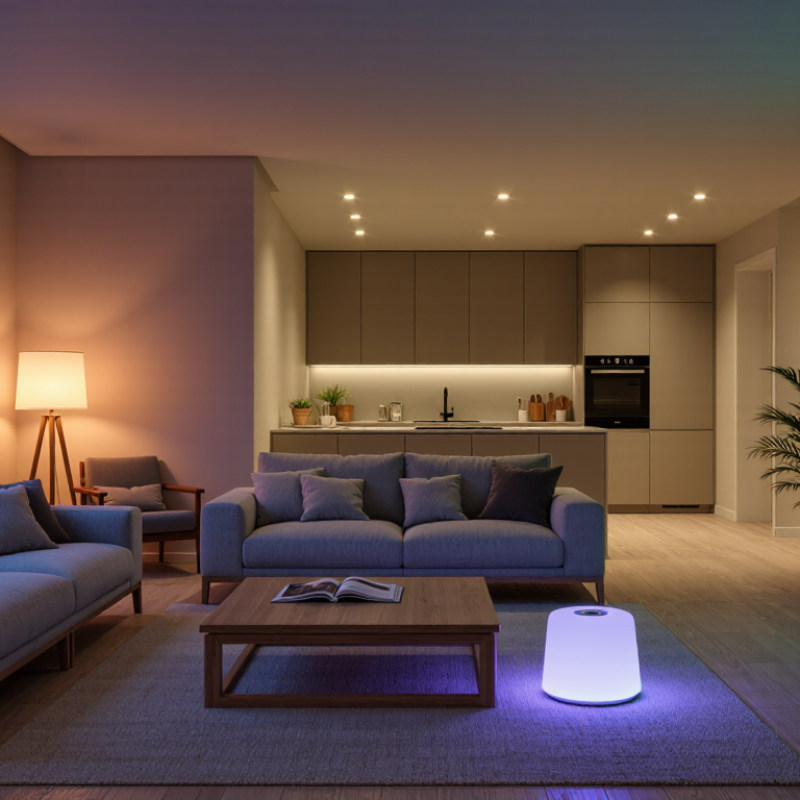
Color-changing bulbs work best when their light is spread around the room, not concentrated in one bright spot. Place them in several fixtures at different heights, such as a ceiling fitting, a table lamp, and a floor lamp near a corner. This creates layers and helps colored light feel intentional rather than harsh.

Start with the room’s usual layout. Aim a floor lamp toward a pale wall to soften its glow, and keep a reading lamp close to the chair or desk where clear light matters. Leave a little distance between colored bulbs and reflective surfaces; glossy cabinets and mirrors can create distracting patches. Check the bulb instructions before placing one in an enclosed fixture, since some models need more airflow.

Test the room after dark. Turn on each light separately, then switch them on together and look from the doorway. Small changes matter. A blue bulb in one corner may look calming alone, but feel cold beside bright white overhead light. Try matching brightness before adjusting color. I still find that one corner can feel oddly flat, even with several lamps; moving a lamp a few inches sometimes helps more than changing the hue. Keep pathways and work areas comfortably lit.

Create and Save Mood-Based Lighting Scenes

Choose a repeatable moment, such as reading after dinner or getting ready for bed. Set the bulb’s color and brightness in the room where you will use it; pale walls and dark furniture can make the same shade look different. A soft amber glow may suit a quiet evening, while a clearer white light can help with focused tasks. Comfort matters more than a perfect color chart. Test it tonight.

When the lighting feels right, save it as a scene with a practical name, such as “Reading” or “Wind Down.” If your lighting app allows it, set a schedule so the scene turns on around your usual bedtime. Keep the brightness easy on the eyes, and avoid making late-night light so bright that it feels jarring. A common first attempt is too dim, especially beside a book. Adjust one setting at a time, then use the scene for a few evenings before changing it again. Mood is personal, and a saved scene should be easy to revise when your routine or preferences shift.

Adjust Settings for Comfort and Consistency

Comfort comes from choosing settings that suit the task, then keeping them steady. In a reading corner, warm white light at moderate brightness can reduce glare on a page. For evening meals, soften the light instead of switching through saturated colors. Small changes feel calmer. A favorite color may look charming for five minutes, then tiring over a whole evening. Notice how the room feels after a while.

Save a few repeatable scenes, such as work, dinner, and winding down. Keep brightness levels similar across bulbs in one room; mismatched whites can make walls look patchy. If colors shift between bulbs, check that each supports the same control mode, then adjust one at a time. Test the scene from your usual seat, not directly beneath the fixture. It matters. Avoid rapid fades if they feel distracting, and choose steady light for reading. A setting that seems slightly too bright at first may feel different after ten minutes, so make small adjustments rather than chasing a perfect preset.

FAQS

Which features should I check before choosing a color-changing bulb?

Check for adjustable white temperature and full color; they are different features. Test the lowest dimming level beside your sofa. Too bright?

How do warm and cool white light differ?

Warm white can feel soft in a living room. Cool white may help a desk feel more alert.

What control options might a bulb offer?

A remote handles quick changes. An app may save scenes and schedules. Voice control needs compatible equipment and a stable connection.

Does the bulb’s connection type matter?

Check whether it uses Wi-Fi or Bluetooth, and whether it needs a separate hub. A little setup can be fiddly.

Why might the wall switch interrupt app control?

Turning off the wall switch cuts power to the bulb. App controls may not work again until power returns.

How can I create a useful lighting scene?

Set the color and brightness in the actual room. Pale walls and dark furniture can change how a shade looks. Save it with a practical name, such as “Reading.”

Can I schedule a scene for bedtime?

If the app supports scheduling, set the scene to turn on near your usual bedtime. Keep the brightness comfortable. Test it tonight.

What if my saved scene does not feel right?

A first attempt may be too dim beside a book. Change one setting at a time, then try it for a few evenings. Preferences shift; revise the scene when needed.

Conclusion

Color-changing bulbs make it easy to adapt a room to different activities and feelings. Start by exploring the bulbs’ controls, including available colors, brightness levels, and options for adjusting them. How do color changing bulbs create different atmospheres? By combining hue and brightness: softer, warmer tones can make a space feel calm and inviting, while brighter or cooler colors can add energy and focus. Choose settings that suit the room and the moment rather than relying on color alone.

Placement also matters. Spread bulbs around the room to create balanced lighting, and use different positions to highlight areas without making the overall effect harsh or uneven. Once you find combinations that work, save them as mood-based scenes so you can return to them easily. Make small adjustments as needed, keeping brightness comfortable and colors consistent across the room for a polished, relaxing result.

Liam

Liam

Liam is a dedicated marketing professional with a profound expertise in the industry, where he excels at highlighting the unique advantages of our core products. With a keen understanding of market trends and consumer needs, Liam frequently updates our company’s professional blog, providing......